
What is DigitalOcean (DO) Spaces ?
DigitalOcean Spaces - is a cloud storage service, where you can keep all your digital items in a “spaces bucket” — our special cloud-based folder.
Usage | Features |
|---|---|
Stateless architecture | No worries about disk space |
Backups | Independent storage |
Archive logs | External service that manages data storage |
Media data (photos, videos, docs, etc.) | Sharing access |
Personal / Secret data (contracts, invoices, passports, etc.) | Ability to have Stateless architecture |
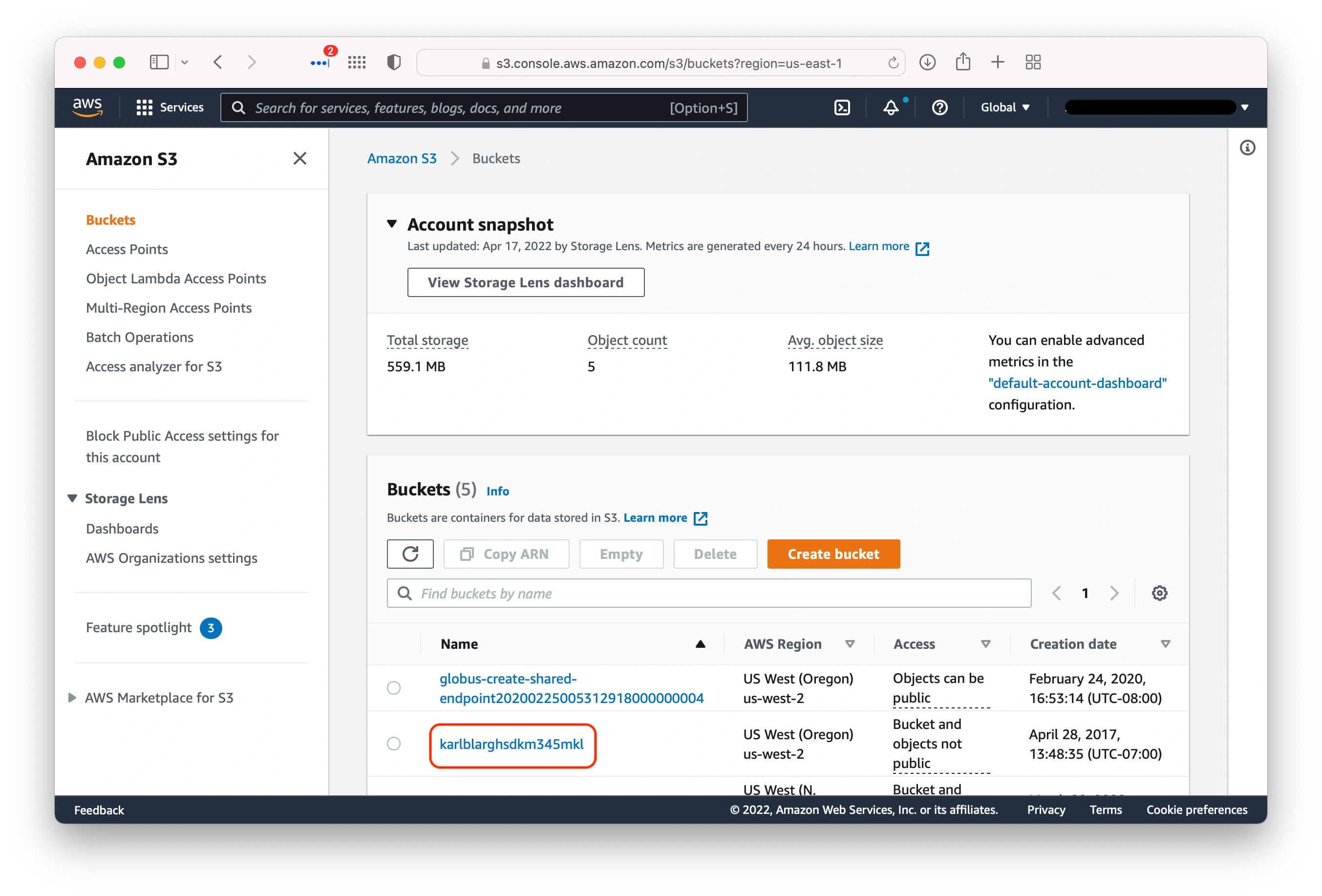
Differences between DO Spaces & AWS S3
DigitalOcean Spaces | AWS S3 |
|---|---|
Very simple console | Functional console |
Compatible with S3 API
| Compatible with AWS services such as:
|
Scalability: Petabyte-scale | Scalability: Virtually unlimited |
Video/image compressor/convertor |
How to create DO Space ?
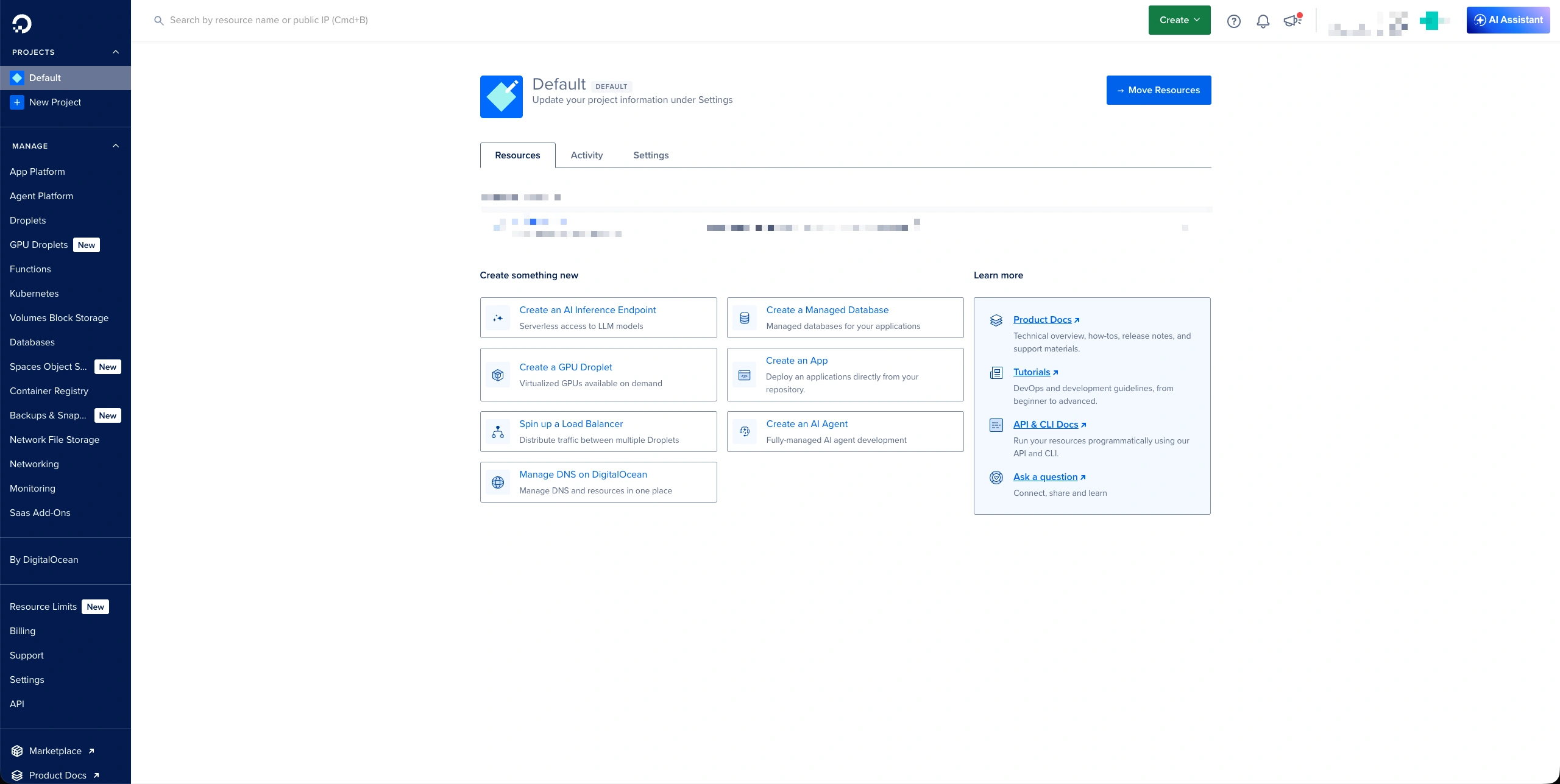
- Go to the DigitalOcean Console
- Choose the “Spaces Object Storage“ in the sidebar

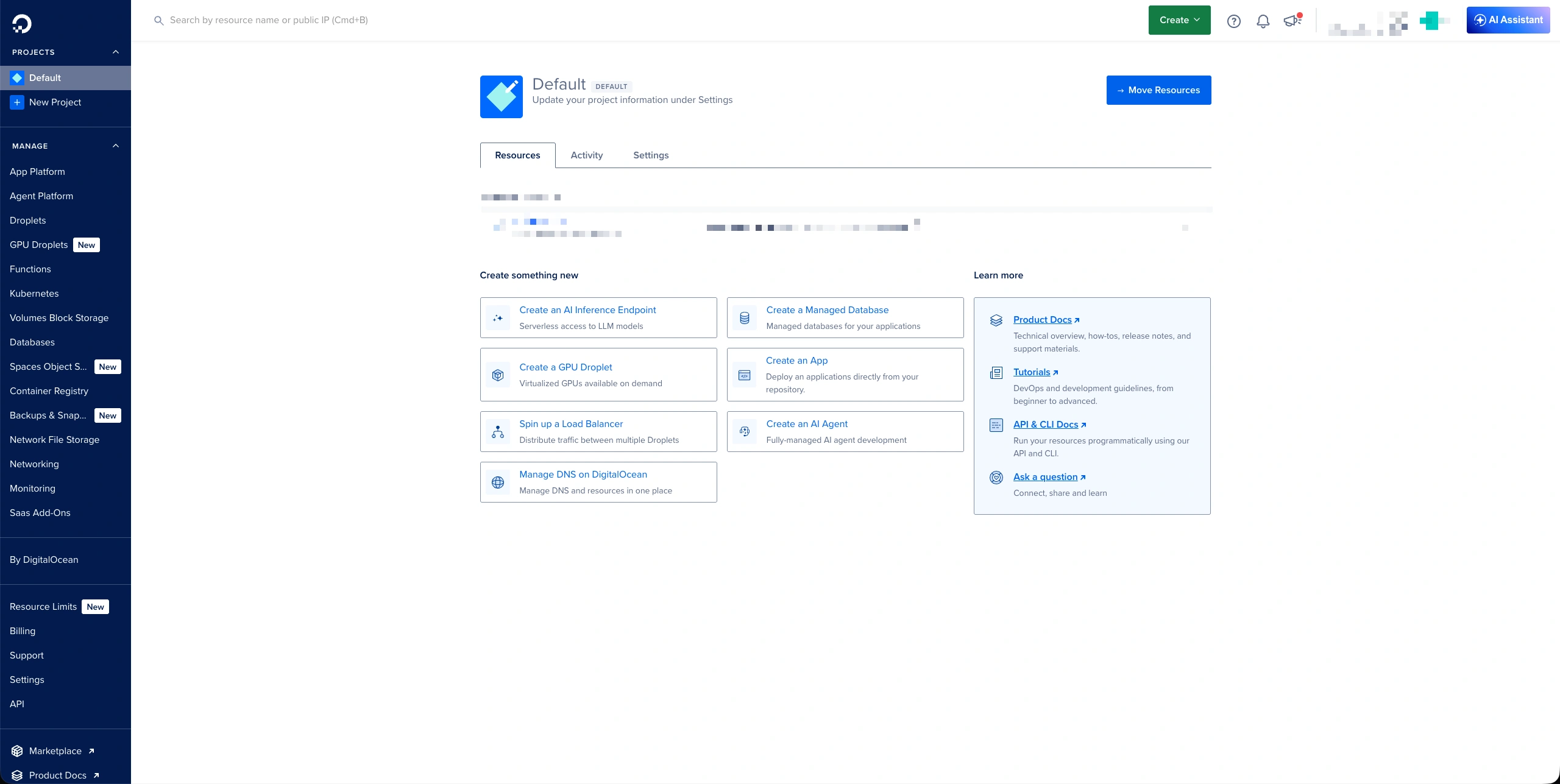
- Click to the “Create Spaces Bucket“ for create single space:
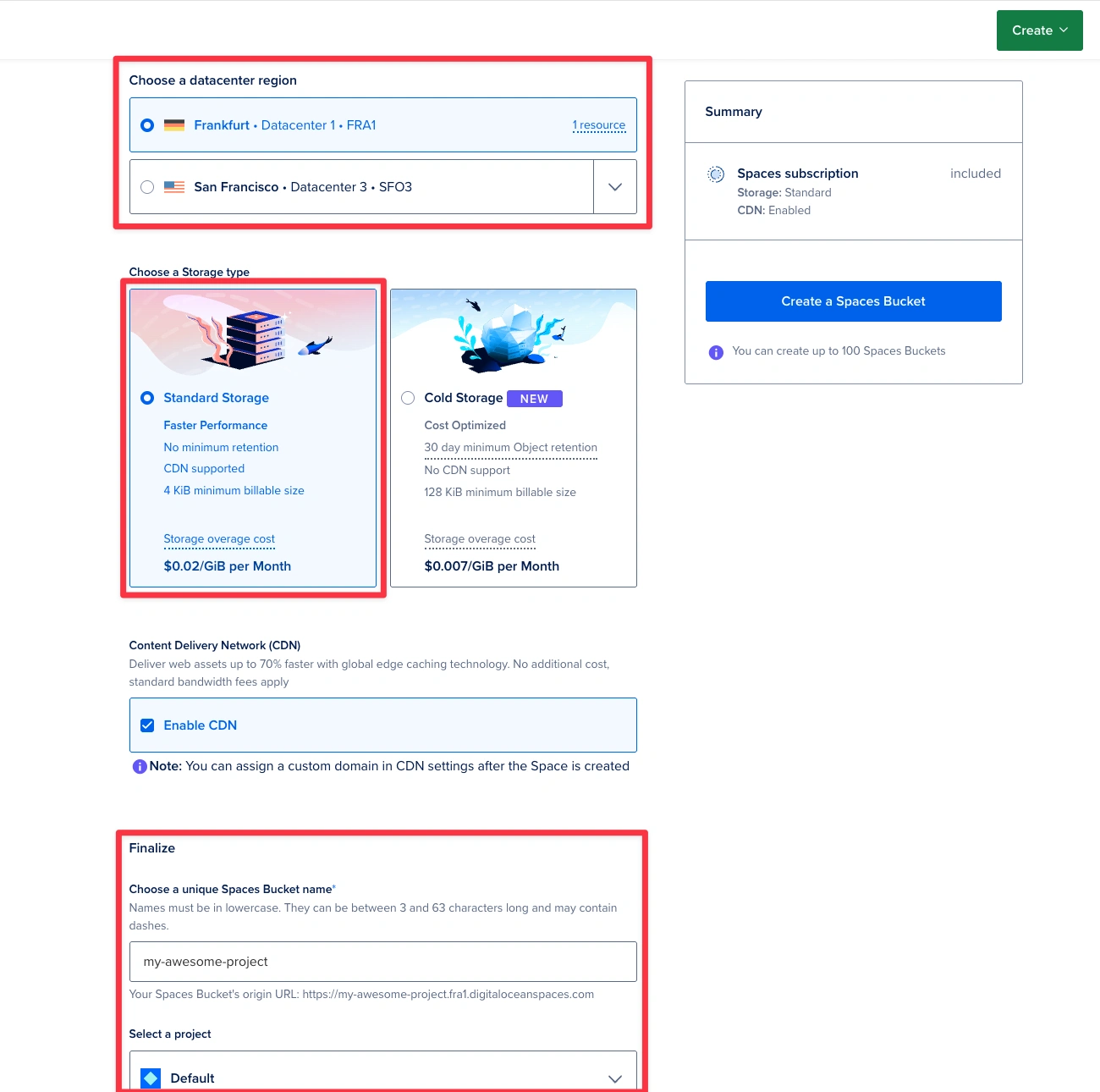
- Fill in the following fields in the image shown:
For most cases on EU projects, Frankfurt will be the best option as it is supposed to be in the same data center as the VPS/Database
- Paste the shown DO variables to config and Forge environments.
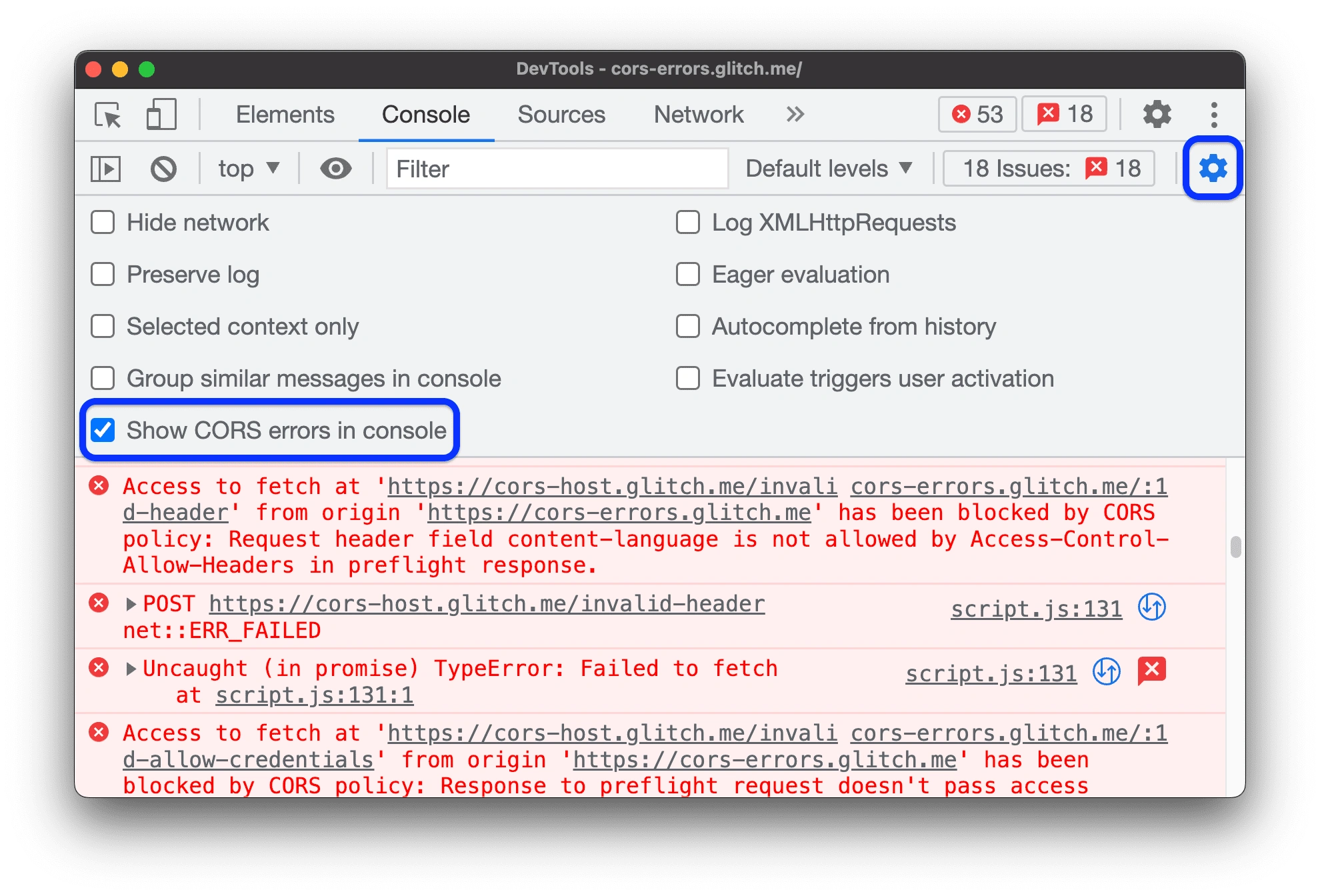
Setup DigitalOcean CORS domains
if you see the same error, follow the steps below:
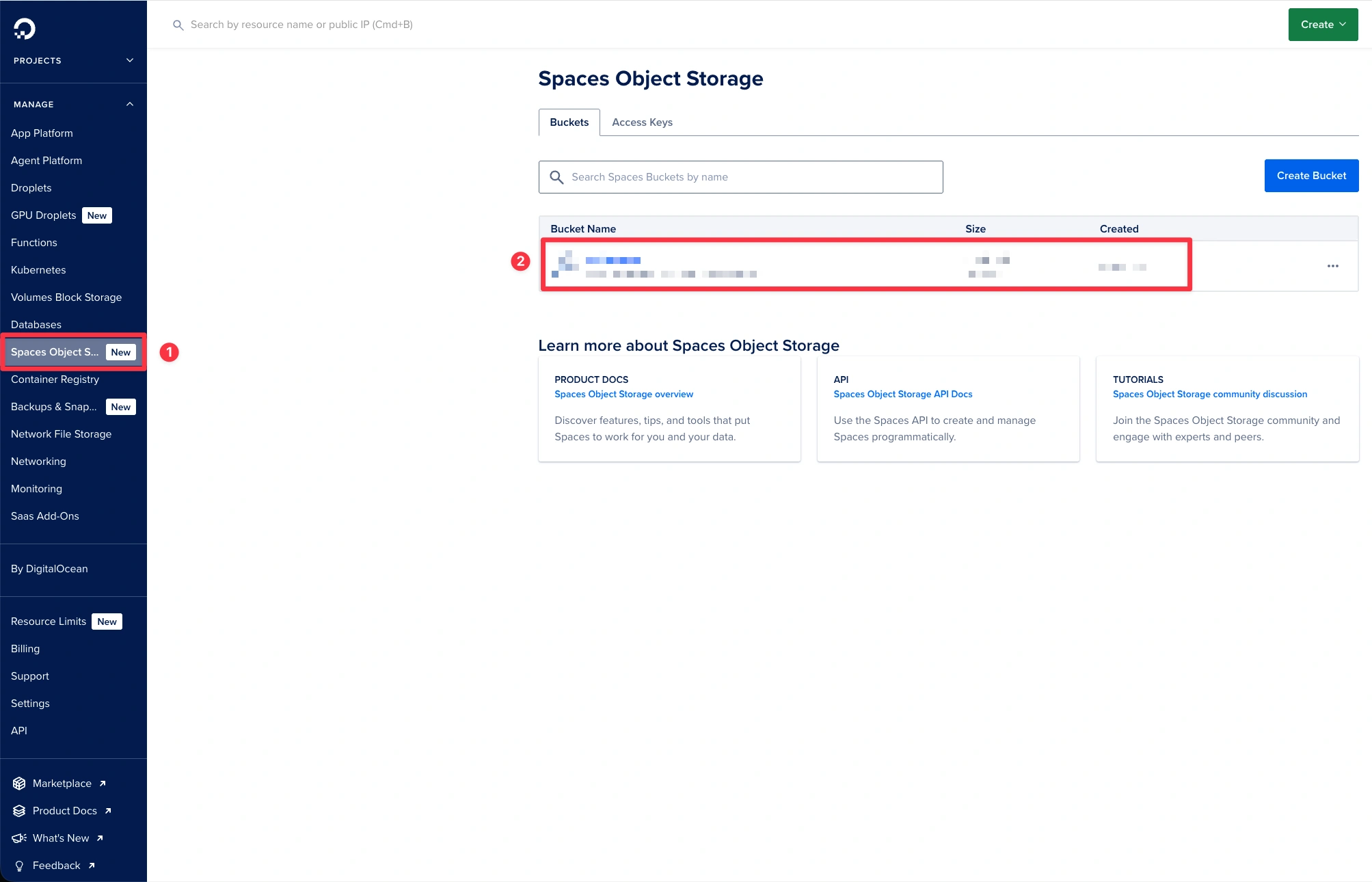
1. Select the Relevant Project and Space:
- In the sidebar, choose the project or DO spaces directly.
- Select the space or spaces (if we have more that one).
- Update CORS Configurations
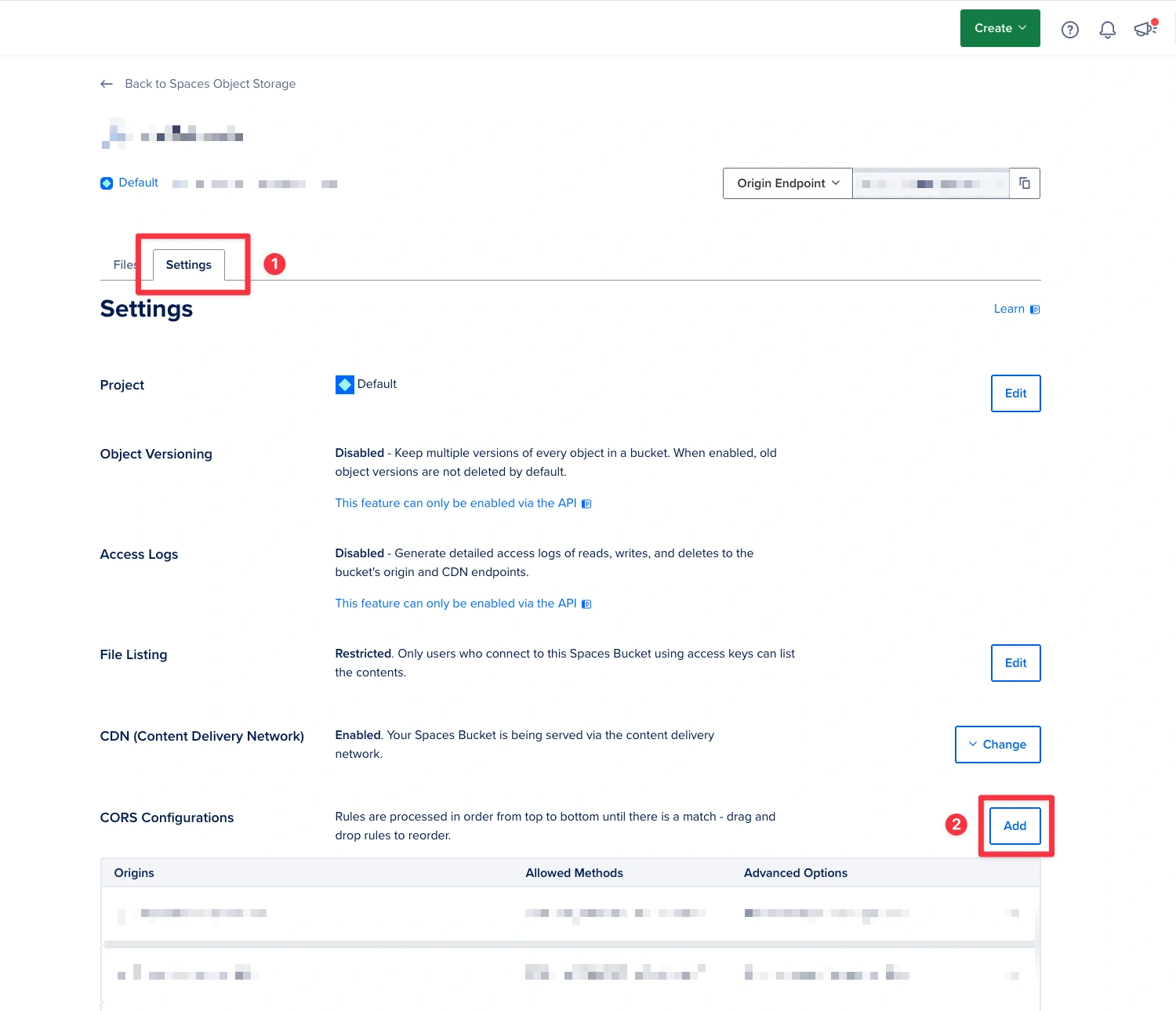
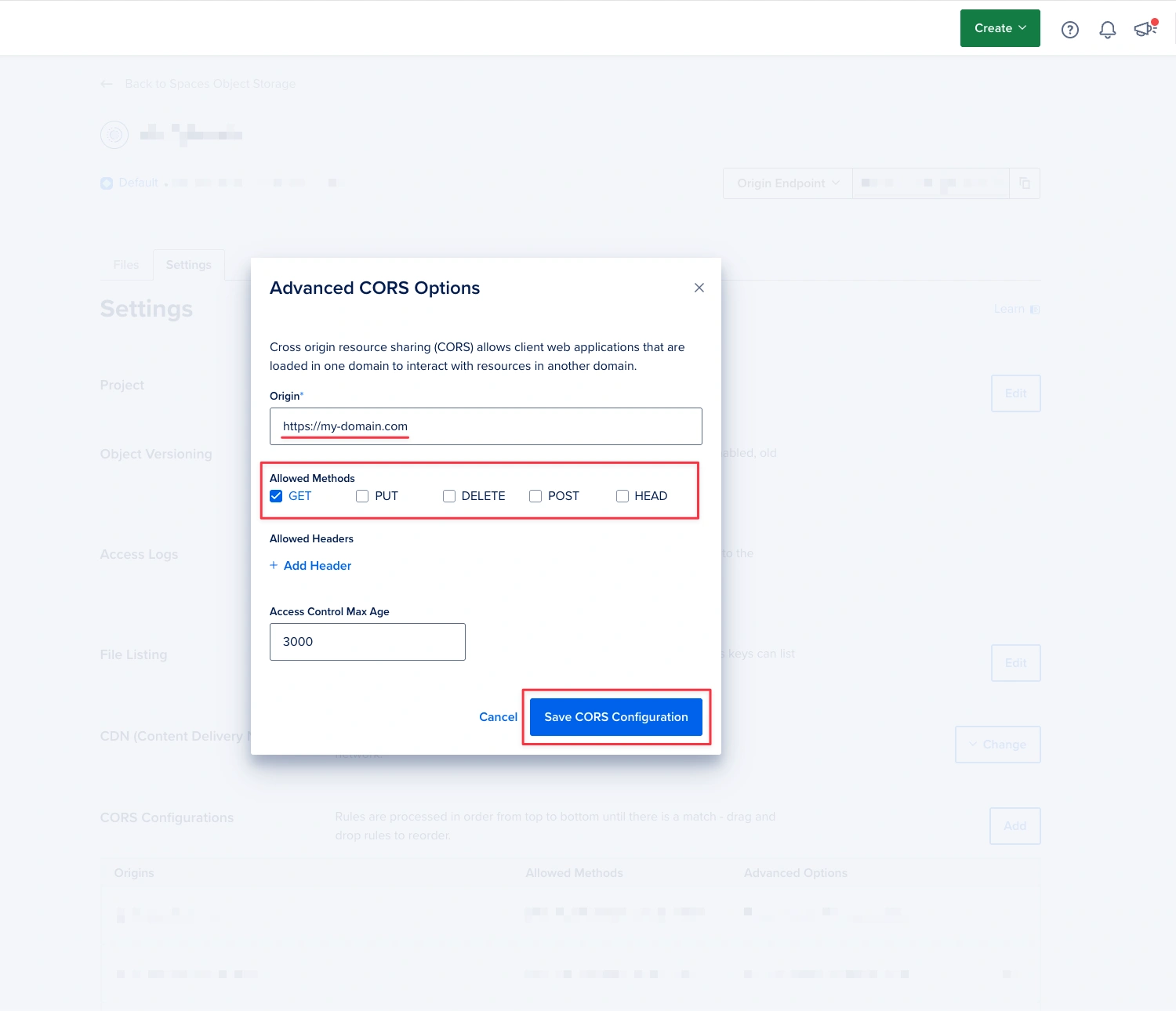
All "API" or "Monolith apps" domains could support allHTTPmethods (GET,PUT,DELETE,POST,HEAD). The basic domain (like apps which only reached the content from API) could only allow theGETmethod for enhanced security, limiting interactions to data retrieval.
Example configuration:
# API or Monolith apps domains:

Origin: https://example-api-domain.com
Allowed Methods: GET, PUT, DELETE, POST, HEAD
Allowed Headers: # No additional headers selected
Access Control Max Age: 0 # set this up by your requirements
# Reached content domains:
Origin: https://example-domain.com
Allowed Methods: GET
Allowed Headers: # No additional headers selected
Access Control Max Age: 0 # set this up by your requirements Implement DO Spaces to Laravel Project
- Install the following package to your Laravel project:
- Update configs:
-  'default_media_disk_name' => 'media',
+  'default_media_disk_name' => 'do_spaces',
Don’t forget add/update variables to “Environments“
/* filesystems.php config file */

'do_spaces' => [
    'driver' => 's3',
    'key' => env('DO_SPACES_KEY'),
    'secret' => env('DO_SPACES_SECRET'),
    'endpoint' => env('DO_SPACES_ENDPOINT'),
    'region' => env('DO_SPACES_REGION'),
    'bucket' => env('DO_SPACES_BUCKET'),
],